
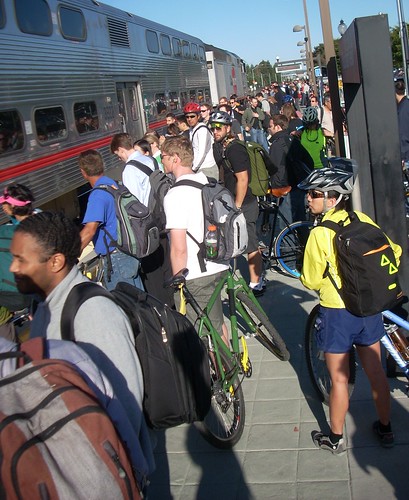
Yes, you can receive information about Caltrain bike cars in real time on your phone or other mobile device. Here’s the step-by-step guide to receiving Caltrain bike car information below the photo.
1. Sign up for Twitter.
2. After signing up and logging in to Twitter, visit the Devices page, fill in the details of your mobile device and follow the instructions to activate receiving “tweets” to your phone. Set “Device Updates” to “ON.” Note you can also limit the times when you receive messages from Twitter.
3. While logged in to Twitter, visit the Twitter Bike Car page, click “Follow” and set “Device Updates” to “ON.” After this you should start receiving bike car messages to your phone.
4. You can expect to receive about a dozen bike car messages per day. Keep this in mind if you pay for each short message received.
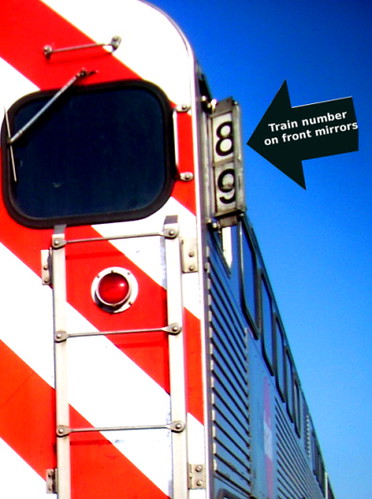
5. You probably ride the same 2 or 3 trains every day. LEARN THE TRAIN NUMBERS of the trains you ride. The last two digits of the train number are mounted on the mirror of the front car or locomotive. For example, northbound train #329 will have “29” in big black numbers on both front mirrors on the cab car.
6. Let the other cyclists on the platform know when you receive an update.
Volunteers (I’m one of them) provide the updates who enter this information, so you may or may not get bike car status for your train. I’m posting this mostly for the benefit of those passengers I see boarding in Sunnyvale or Mountain View every morning. They obviously don’t see the bike car status I just sent 10 minutes beforehand. You can pretty much count on status for one or more of northbound trains 225, 227, or 329 each morning.
More techno-nerd information about this community supported service is at Ravi’s website, who set it all up in the first place. Thanks Ravi!

 Never mind that even the natives wear face masks to protect themselves from air pollution. When American Olympic track cyclists arrived in Beijing wearing face masks, it caused an uproar.